When a release fails, your customers should not hear it from support first.
Most Azure DevOps teams still rely on ad-hoc emails, chat messages, or expensive third-party status tools. That means slower incident communication, more inbound tickets, and more pressure on the engineers already fixing the issue.
Enterprise pricing for a simple use case
Many status tools start at $99–$299/month before custom domains, extra components, or subscriber features. That is hard to justify for a single Azure DevOps organisation.
Webhook glue instead of native workflow
Generic tools expect scripts, extra tokens, and maintenance every time your release process changes. That adds failure points right when you need reliability most.
Another dashboard. Another login. Another vendor.
Separate admin tools mean separate onboarding, separate MFA, and one more place your team has to remember during an incident.
Go from install to live status page in under a minute.
Install directly from VS Marketplace
Add Status Portal to your Azure DevOps organisation. No infrastructure, no extra vendor account, and no setup project to maintain.
Install from VS Marketplace →Map the services customers actually care about
Group APIs, pipelines, deployment environments, and regions into a clear public view that matches how your platform is run.
Publish updates automatically or manually
Go live immediately, connect pipeline triggers, and let customers subscribe for alerts so they hear about incidents from you first.
// 01
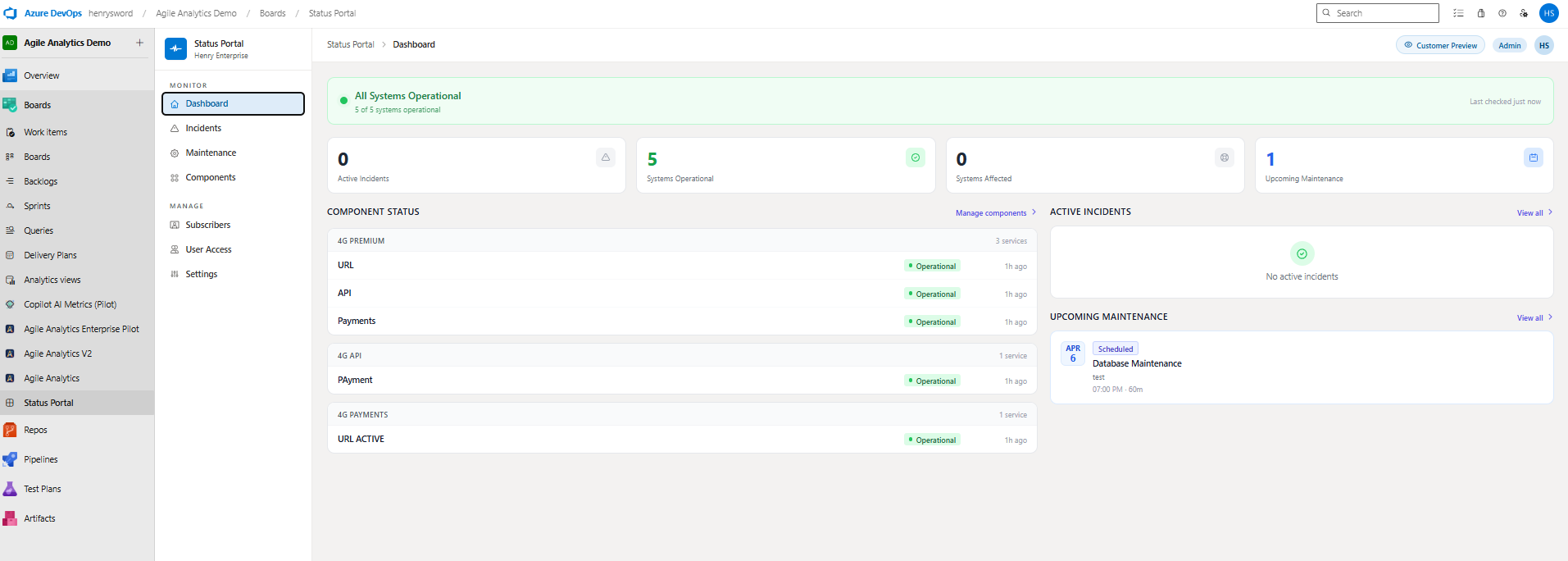
Full admin dashboard inside Azure DevOps
See incidents, maintenance, component health, and system counts in one place — without leaving Azure DevOps or jumping into a separate vendor dashboard.
// 02
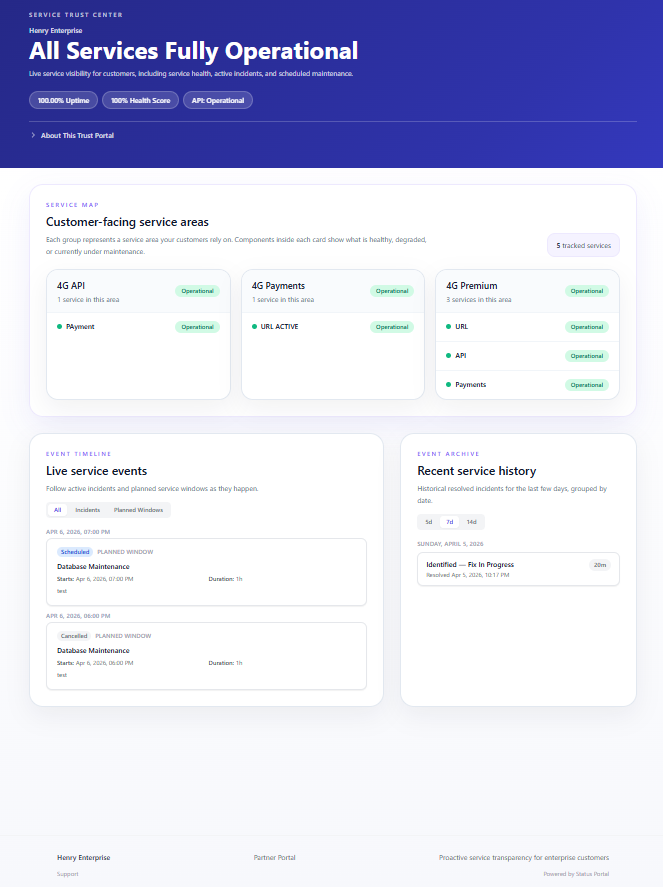
Your customers see it in real time
Customers see a clean public page with live component health, incident timelines, and planned maintenance the moment your team posts an update.
// 03
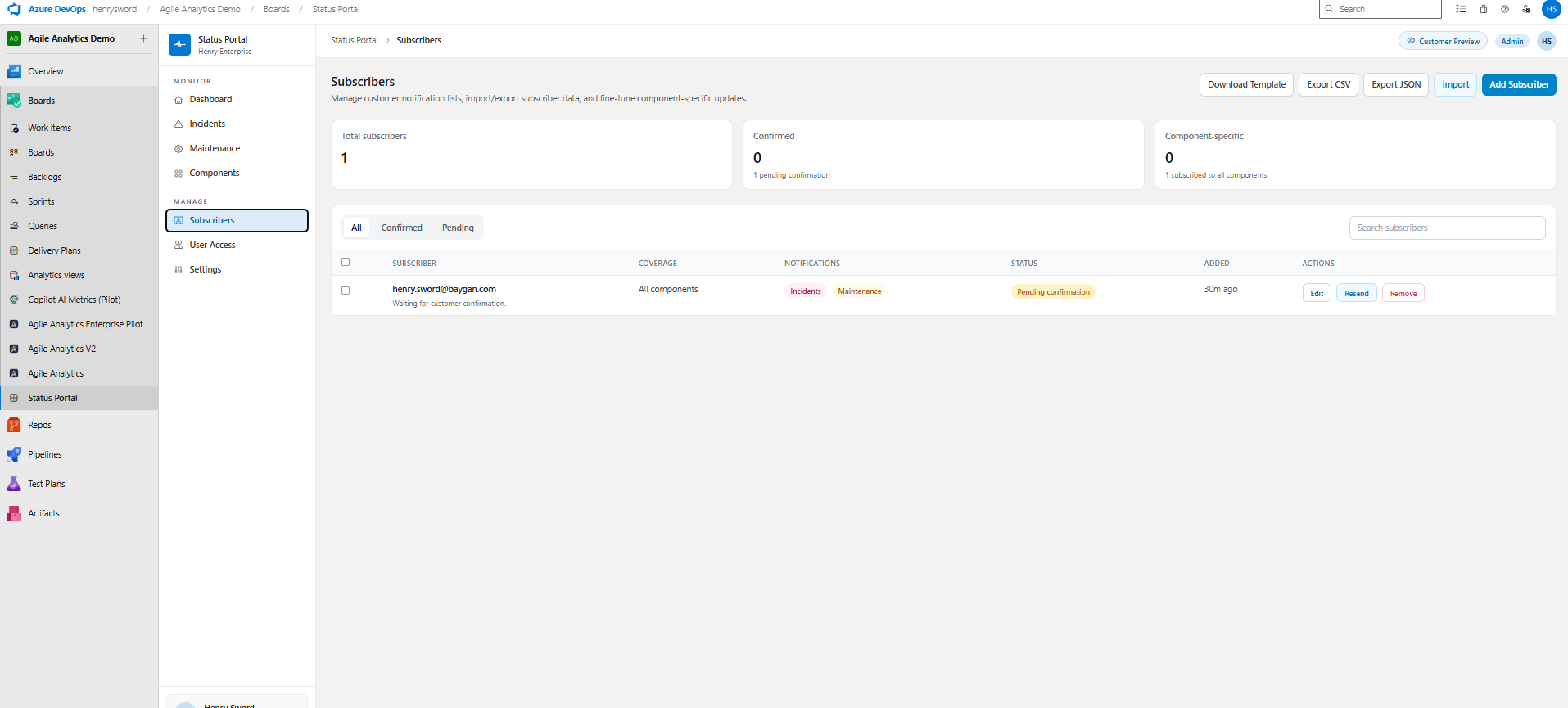
Subscriber management built in
Import, export, filter, and manage subscribers directly in the product. No extra notification tooling and no disconnected mailing list to keep in sync.
// 04
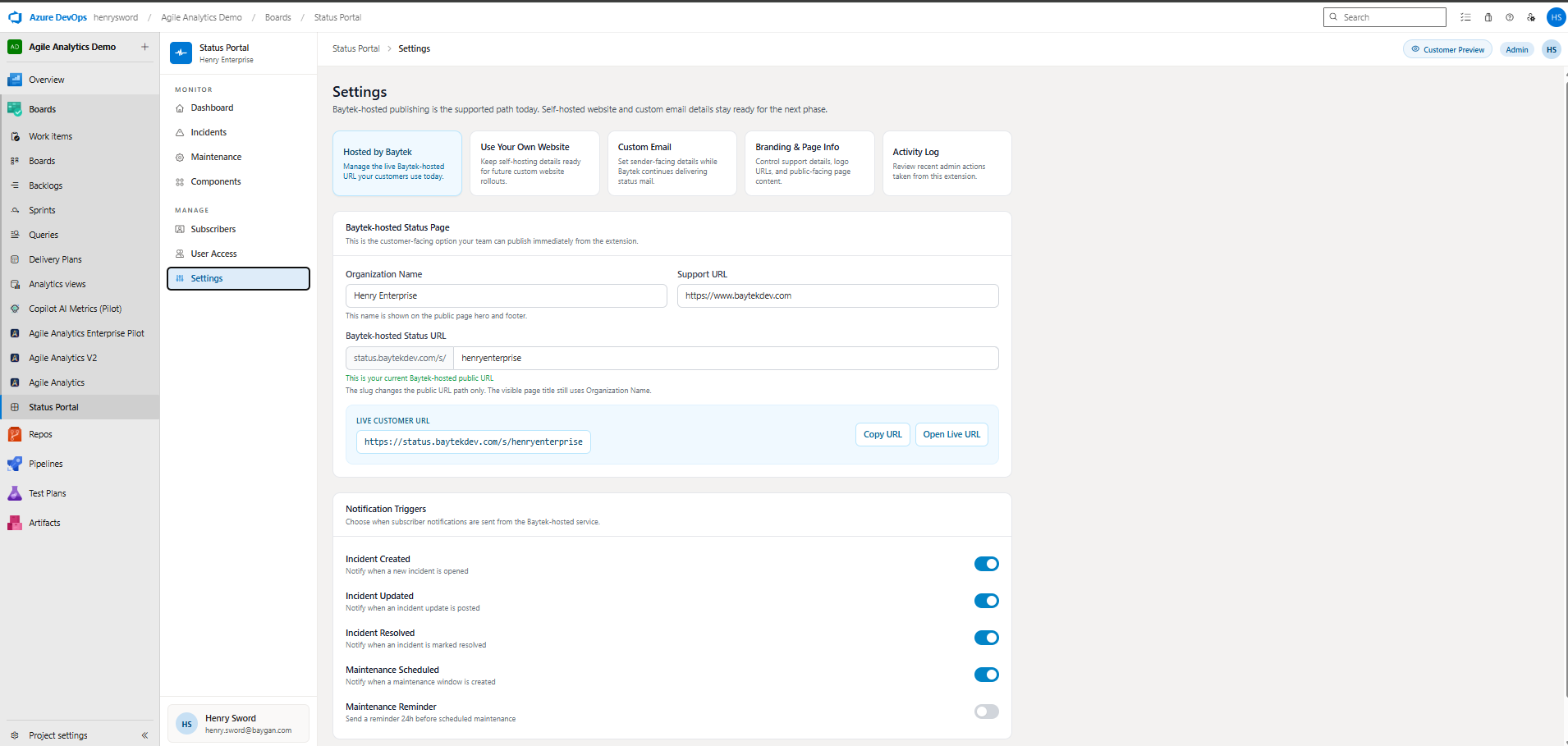
Configure in under 60 seconds
Set your slug, branding, notification rules, and support URL in minutes. Go live on a Baytek-hosted URL immediately or point your own domain when you are ready.
0×
Cheaper than typical status tools
$19/mo vs $99–$299/mo vendors
0 days
30-day trial with full access
No credit card and no feature gating
$0
No setup or onboarding fees
Purchase through your Azure subscription
One flat price. No seats. No feature gates.
Everything needed to launch and run a customer-facing status page is included from day one — alerts, subscribers, custom domains, and pipeline triggers.
If you have looked at $99–$299/month vendors, this is the lower-risk way to get a status page live inside Azure DevOps.
Built for teams that cannot compromise on trust.
Status Portal runs inside Microsoft's ecosystem, using Azure AD and Azure infrastructure so your team can publish status updates without handing sensitive workflows to another vendor.
Data Residency
All data is processed and stored within Microsoft Azure infrastructure in your selected region. Your incident data never leaves the Microsoft cloud.
Authentication
Status Portal uses Azure Active Directory. Your team logs in with their existing ADO credentials — no new passwords, no separate identity provider.
Encryption
All data in transit is encrypted using TLS 1.3. Data at rest uses AES-256. API tokens are hashed with bcrypt and are never retrievable after generation.
Compliance
Status Portal runs as a Visual Studio Marketplace extension within Microsoft's sandbox, operating under the same compliance umbrella as Azure DevOps itself.
Trusted by Azure DevOps teams.
Teams want fewer support interruptions, faster incident communication, and no extra tool sprawl. That is exactly where Status Portal lands.
Platform Lead
Enterprise SaaS
“We cut support ticket volume by 40% in the first month. Our customers stopped emailing us to ask if the API was down — they already knew.”
Senior DevOps Engineer
Fintech
“Finally a status page that doesn't require a separate login. Our ADO team was up and running in under an hour.”
Head of Engineering
Scale-up
“The pipeline integration is the killer feature. When a deploy fails, our status page updates automatically before anyone notices.”